
By Hassan, Technical Lead at Cellbot
Published: 11 December 2025 · Fully reviewed: 29 August 2026
Choose Shopify when the shop needs hosted commerce and in-person retail with fewer infrastructure decisions. Choose WordPress with WooCommerce when content control, hosting choice and custom development justify owning more maintenance. Neither platform is a repair-management system by itself; test how bookings, enquiries and customer jobs enter the repair record.
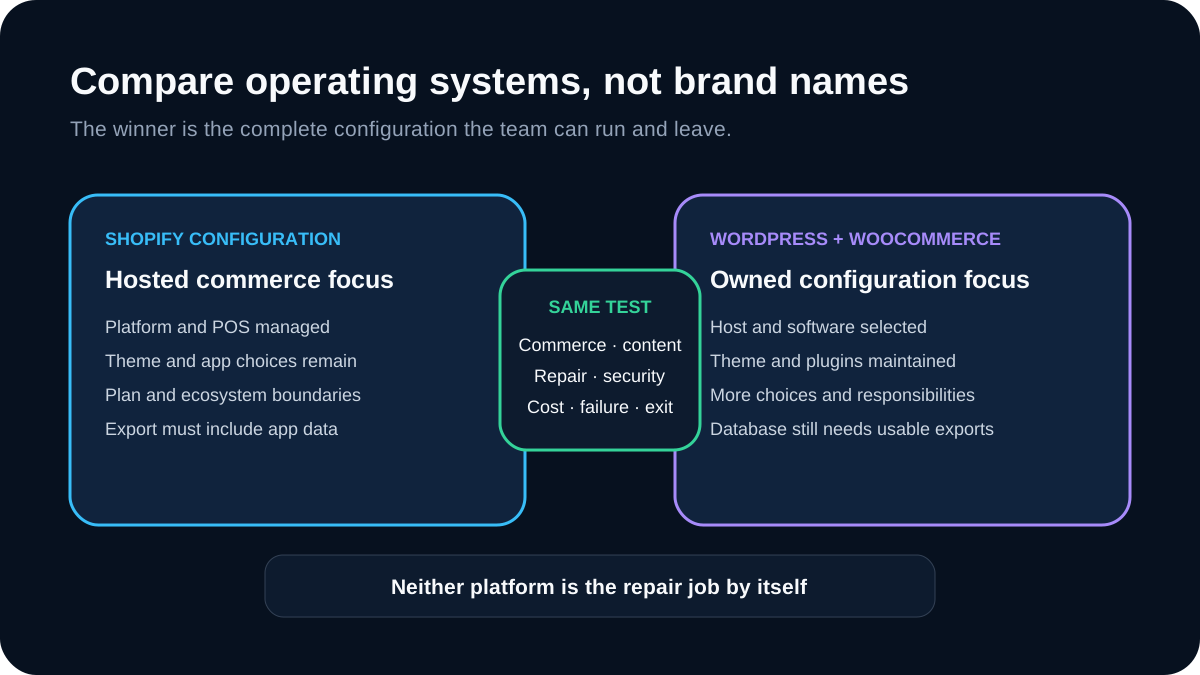
The correct comparison is not subscription versus “free”. It is one complete operating configuration against another over the same period, including staff time, extensions, maintenance, failures and exit.
Quick verdict: retail-led and low-maintenance usually favours Shopify. Content-led and technically supported often favours WordPress. A service-led shop with little e-commerce may need neither full commerce stack.
Decision table
| Shop priority | Shopify tends to fit when | WordPress + WooCommerce tends to fit when | Test before deciding |
| In-person and online retail | One hosted commerce and POS ecosystem is valuable | A chosen POS extension and its integration can be operated safely | Sale, stock, refund and outage journey |
| Repair services | A repair app or connected system covers the job | A repair plugin or connected system covers the job | Intake-to-warranty lifecycle |
| Long-form content | Native publishing meets the editorial workflow | Detailed content models and plugin choices justify maintenance | Build and update three real articles |
| Custom workflow | Available apps and platform extension points are sufficient | The team can build and maintain the required code | One hardest requirement end to end |
| Operations | Managed platform support reduces internal burden | Managed hosting or in-house skills cover server and software ownership | Update, restore and incident exercise |
| Exit | Shopify exports and app data meet the migration plan | Host, database and plugin data remain portable enough | Export and restore sample |
Download the Shopify-versus-WordPress decision register. It keeps requirements, tests, full costs, operational owner, failure and exit evidence in one comparison.
Compare complete configurations
Write the two actual candidates, not just their brand names.
Shopify candidate: plan, POS scope, theme, repair app or integration, booking, forms, messages, payment method, locations, staff roles and support.
WordPress candidate: host, WordPress and WooCommerce versions, theme, repair plugin or integration, booking, forms, messages, payment gateway, security, backups, staging, monitoring and maintainer.
If a feature is “custom”, name who will build, test, document and support it. If a feature is “included”, verify the current plan and regional scope.
Commerce and POS
Shopify's official POS documentation describes synchronised orders and product inventory across the POS, admin, retail locations and active sales channels. That is a strong default for businesses selling substantial accessories, parts or refurbished devices online and at the counter.
WooCommerce is a WordPress commerce plugin. A WordPress configuration can support products, payments and stock, but the shop selects and operates the host, payment, POS and extension combination. That flexibility is useful only when someone owns the resulting system.
Test:
- product creation and variants;
- VAT and unavoidable charges;
- online and in-person sale;
- refund, exchange and cancellation;
- stock at more than one location;
- oversell and duplicate payment;
- payment or connectivity outage; and
- reconciliation to the accounts.
The Shopify POS repair-fit guide owns the detailed retail-versus-repair boundary.
Repair workflow
Do not score either platform for repairs until a specific app, plugin or connected system is included. The required record normally covers:
- customer and device identity;
- intake condition and custody;
- requested outcome and diagnosis;
- quote revisions and approval;
- parts reserved and fitted;
- technician work and final tests;
- customer messages;
- payment linkage; and
- warranty or dispute history.
Run the same mixed set of routine, ambiguous, unsupported, warranty and complaint jobs on both configurations. A pretty booking page or service product is not proof of a repair workflow.
The work-order guide defines the job evidence. The minimum Shopify app stack covers current Shopify candidates.
Content and SEO
Both platforms can produce crawlable, fast, structured pages. Neither platform creates expertise, earns links or guarantees rankings.
Compare the real editorial work:
- create a service page with correct title, canonical, description and schema;
- publish a long-form guide with tables, images, captions, sources and author data;
- update it without changing the URL or losing structured data;
- create a redirect and verify internal links;
- control indexation for thin or duplicate pages; and
- export the content in a reusable form.
WordPress offers broad control through its content model and plugin ecosystem, but every plugin adds a compatibility and maintenance decision. Shopify constrains some implementation choices while reducing server-level ownership. The best outcome is the one the team can maintain correctly.
The local SEO guide owns the local-search evidence plan. Do not choose a platform based on an agency's generic “better for SEO” verdict.
Security and maintenance
With Shopify, the merchant still owns account security, staff access, app permissions, theme and integration choices, customer-data practices and operational recovery. A hosted platform does not remove every responsibility.
With WordPress and WooCommerce, the configuration also requires a suitable host, supported software versions, updates, extension compatibility, backups and restore testing. WooCommerce's current server recommendations and update guidance set out version, hosting and backup considerations. Its security FAQ stresses keeping WordPress and plugins current and selecting a secure host.
Test both:
- least-privilege staff and contractor access;
- multifactor authentication where supported;
- app or plugin permission review;
- update in a safe environment;
- backup and full restore;
- provider or plugin outage;
- malicious form input and account abuse;
- incident notification and audit evidence; and
- access removal at staff or supplier exit.
The repair-shop GDPR guide owns the processing map. Obtain qualified security and data-protection advice for the actual build.
Reliability and performance
Do not compare vendor demo scores. Build representative pages and journeys with the intended theme, apps, plugins, images and analytics.
Measure:
- key page load and interaction on mid-range mobile;
- add-to-cart, booking and enquiry completion;
- checkout and payment error recovery;
- admin task speed for ordinary staff;
- behaviour under a failed app or plugin;
- monitoring and incident visibility; and
- restore or rollback time.
WordPress performance depends heavily on the host, theme, plugins, database and cache. Shopify performance depends on theme and app choices within the hosted platform. App or plugin count is a weak proxy; inspect the actual dependency and customer journey.
Accessibility and customer choice
Test navigation, forms, search, chat, booking and checkout with keyboard, zoom, screen reader and mobile. Confirm focus, labels, errors, status announcements and colour contrast.
Do not make an AI chat the only way to see prices, reach the shop, complain or exercise a right. Themes and extensions can introduce failures on both platforms; a marketplace listing does not certify the finished configuration.
Total cost of ownership
Check Shopify's current UK pricing and every selected app at the decision date. For WordPress, price the host, domain, theme, premium extensions, maintenance, security, backups, staging and specialist support.
Use the same cost fields:
- initial design and configuration;
- data and content migration;
- platform, hosting and extension charges;
- payment and transaction terms;
- POS hardware and connectivity;
- integration and usage charges;
- maintenance and updates;
- staff training and administration;
- incident, restore and reconciliation time; and
- export, exit and replacement.
Do not call WordPress free because its core software has no licence fee. Do not call Shopify all-inclusive when the chosen workflow needs paid apps, hardware or development. Record actual quotes and contract terms.
Ownership, portability and exit
“Ownership” is not one checkbox. Record whether the shop can export:
- products, customers and orders;
- repair jobs and event history;
- content, media and metadata;
- forms, consent and message evidence;
- redirects and URL mappings;
- app- or plugin-specific fields; and
- audit and financial references.
Run a sample export and restore it somewhere safe. WordPress database access does not make proprietary plugin data understandable. Shopify export does not guarantee every app's private record is included.
Preserve stable identifiers and document the migration sequence. The cost of leaving is part of the cost of joining.
A controlled platform trial
Use the same five tasks on both candidates:
- publish and update a real service page;
- take a product sale and reconcile stock and payment;
- capture a repair enquiry and create the job record;
- process an exception such as changed scope, refund or failed integration; and
- export the customer, commerce, repair and content evidence.
Have the people who will operate the site perform the tasks. Record completion, correction, support, failure and recovery time. Do not let one developer's familiarity decide the owner team's future workload.
When neither is the right answer
A service-led repair shop with little product commerce may need a fast website, controlled forms, local service pages and specialist repair software—not a complete Shopify or WooCommerce store. The simpler stack can reduce cost, attack surface and reconciliation.
Choose a commerce platform only for commerce requirements that exist.
Cellbot's current WordPress and Shopify routes
Cellbot publishes this comparison and sells repair software. Its official WordPress plugin is public on WordPress.org: a shop installs it, adds its Cellbot shop slug and the plugin loads the widget on frontend pages. A paid Cellbot plan is still required. The plugin loads Cellbot's hosted customer experience; it is not a WooCommerce product, order, inventory or checkout synchronisation layer.
Cellbot is not yet listed in the Shopify App Store. Its current Shopify route is the supported storefront embed, with draft-order connections discussed separately. Verify current scope on the features page and plan limits on the pricing page. Treat every statement as a seller claim and run the same platform and repair tests against Cellbot and alternatives.
Shopify versus WordPress FAQs
Is Shopify or WordPress cheaper for a repair shop?
It depends on the complete configuration and who maintains it. Compare the same requirements, period and cost fields, including apps, plugins, hosting, payment terms, staff time, support, incidents and exit.
Is WordPress better than Shopify for SEO?
Not inherently. WordPress can expose more implementation choices; Shopify can reduce some technical maintenance. Content quality, architecture, internal links, performance, structured data and external authority still require deliberate work.
Which is easier for a beginner?
Shopify generally removes more hosting and software-maintenance decisions. The relevant test is whether the actual owner can publish, sell, resolve errors and obtain support on the chosen complete configuration.
Can both platforms handle repair bookings?
Yes through suitable apps, plugins or integrations. A booking is not the repair job, so test device intake, approval, parts, work, final tests and warranty separately.
Does Cellbot have a WordPress plugin?
Yes. The official Cellbot Widget plugin is available on WordPress.org. It adds Cellbot's hosted repair assistant to a WordPress site; it does not by itself synchronise WooCommerce products, orders, inventory or checkout.
Can a shop move between Shopify and WordPress later?
Yes, but products, orders and standard content are only part of the migration. Test app or plugin data, repair history, media, redirects, customer permissions and identifiers before committing.
Should a shop use Shopify and WordPress together?
Only when the distinct commerce and content benefits exceed the added maintenance, analytics, identity, SEO and data-sync burden. One well-operated platform is usually simpler.
Sources, search evidence and update note
This article was reviewed again on 29 August 2026 to verify Cellbot's live WordPress.org plugin and state clearly that its Shopify App Store listing is still pending.
The 29 August US DataForSEO result for “WordPress repair shop plugin” put RepairPlugin first and a different WordPress.org plugin listing second; Cellbot was absent from the sampled top ten. The result supports one clear next step: make Cellbot's canonical WordPress integration page and official directory listing more useful before creating another near-duplicate article. Exa supported primary-source discovery, not rank evidence.
Primary references:
- Shopify Help: selling in person with Shopify POS, checked 26 August 2026
- Shopify Help: managing apps, checked 26 August 2026
- Shopify UK pricing, live decision surface checked 26 August 2026
- WooCommerce server recommendations, checked 26 August 2026
- WooCommerce update guidance, checked 26 August 2026
- WooCommerce security FAQ, checked 26 August 2026
- Cellbot Widget on WordPress.org, checked 29 August 2026
DataForSEO references: US keyword overview 08292241-1339-0607-0000-9b7bd089fc67; UK keyword overview 08292241-1339-0607-0000-0254e26e48d5; WordPress repair shop plugin SERP 08292241-1339-0139-0000-2ca096a1b1c8; Shopify repair app SERP 08292241-1339-0139-0000-ba254c89b920.
Continue with the Shopify POS repair-fit guide, minimum Shopify app stack or software buyer test.


